If you’ve ever claimed your Google Business Profile, this will feel familiar.
On November 10, 2026, OpenAI launched Businesses in ChatGPT. It’s a beta with an admin portal called Business Hub, where you can manage how your business shows up when people ask ChatGPT for recommendations.
It’s a big deal. It’s also easy to misunderstand. Here’s the plain-English version.
The quick version
- What it is: an official way to claim and manage your business details inside ChatGPT.
- What it isn’t: a ranking boost. OpenAI says claiming doesn’t guarantee higher placement or more sales.
- Who can use it: eligible businesses with a website, wherever ChatGPT is available. Physical stores and restaurants need an existing US listing for now.
- What to do: claim it carefully (profiles can’t be taken down), then keep earning reviews and mentions.
What did OpenAI actually launch?
Business Hub lives in the ChatGPT sidebar. It has four parts:
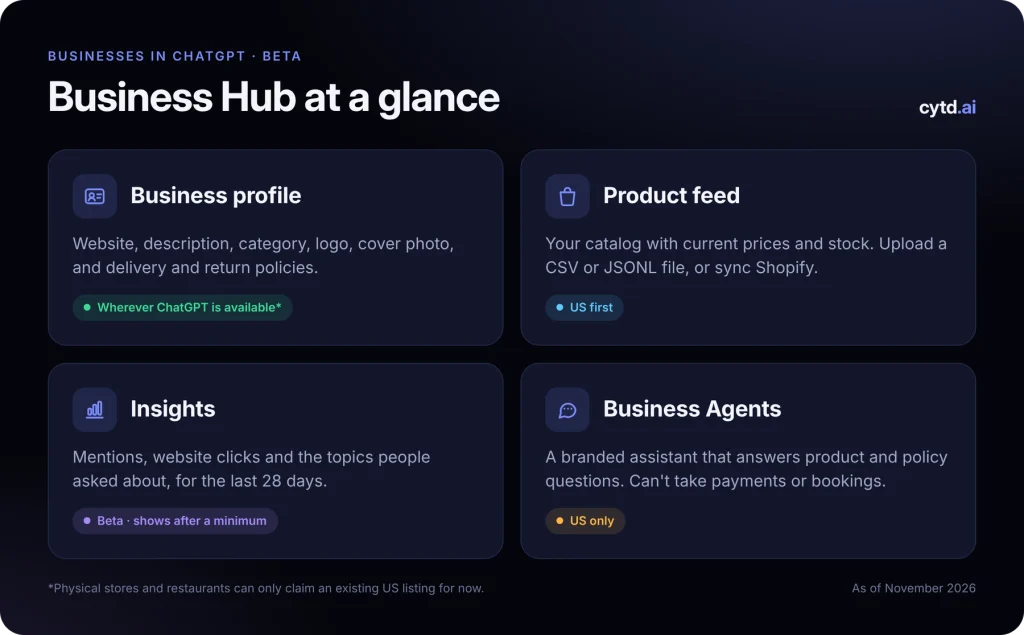
- Business profile. Your website, description, category, logo, cover photo, and delivery and return policies. OpenAI reviews edits before they go live.
- Product feed. Your catalog, with current prices and stock. Upload a CSV or JSONL file, or sync Shopify. Standard uploads target the US for now.
- Insights. How often ChatGPT mentions you, clicks to your site, and the topics people asked about, for the last 28 days. Numbers show once you pass a reporting minimum.
- Business Agents. A branded chat assistant that answers product and policy questions. US only, for eligible online stores and services.
Claiming has no listed fee. The paid part is optional: you can sponsor your agent as a landing spot for ChatGPT Ads, which are labeled separately from regular answers.
How do you claim your business?
It takes two checks: one proves you own the business, the other proves who you are.
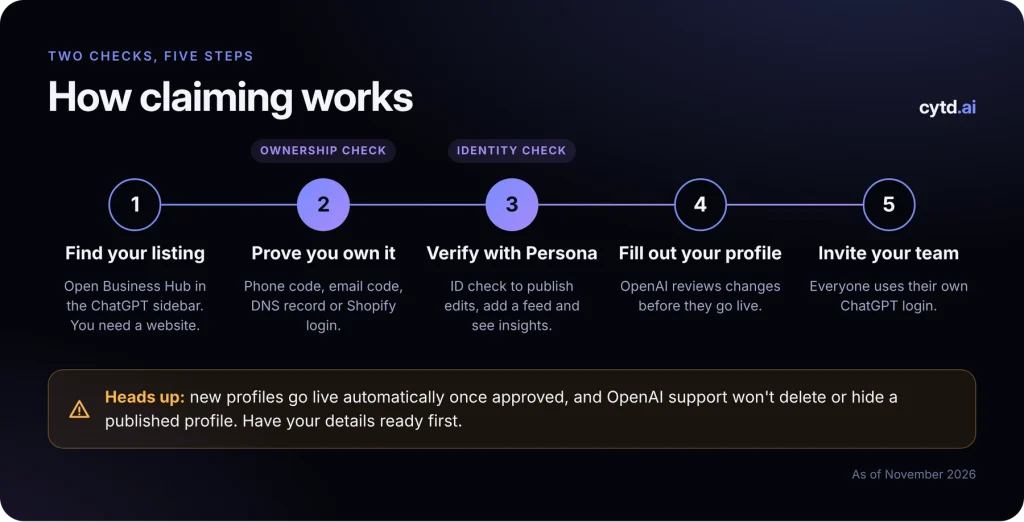
- Find your listing. Open Business Hub from the ChatGPT sidebar and search for your business. You’ll need a working website.
- Prove you own it. Choose a code by phone, a code by email, a TXT record on your domain’s DNS, or logging in to Shopify.
- Verify your identity. To publish edits, add a product feed or see insights, you’ll pass an ID check through Persona. It may ask for a government ID, business registration and proof you can act for the business.
- Fill out your profile. OpenAI reviews changes before they go live.
- Invite your team. Everyone gets their own login. Don’t share accounts or forward the claim link.
Heads up: new profiles go live automatically once approved, and OpenAI support won’t delete or hide a published profile. Have your details ready before you submit.
Why should you care?
Because this is where a lot of buying decisions start now.
1.2B
people use ChatGPT every week, according to OpenAI.
4.1
businesses named in the average ChatGPT answer to a local search (BrightLocal).
55%
of local businesses had accurate info in AI answers (Insites, 10,000 businesses).
Instead of ten links, people get a short list. Until now, you had no official say in what that list said about you. Business Hub changes that.
It also gives you real data from ChatGPT for the first time: mentions, clicks and the topics people asked about. Links from ChatGPT carry a utm_source=chatgpt.com tag, so you can see those visits in your own analytics.
What Business Hub won’t do for you
Your profile tells ChatGPT who you are. It doesn’t make ChatGPT pick you. OpenAI says ChatGPT will keep making independent recommendations, and your profile is one input among many.
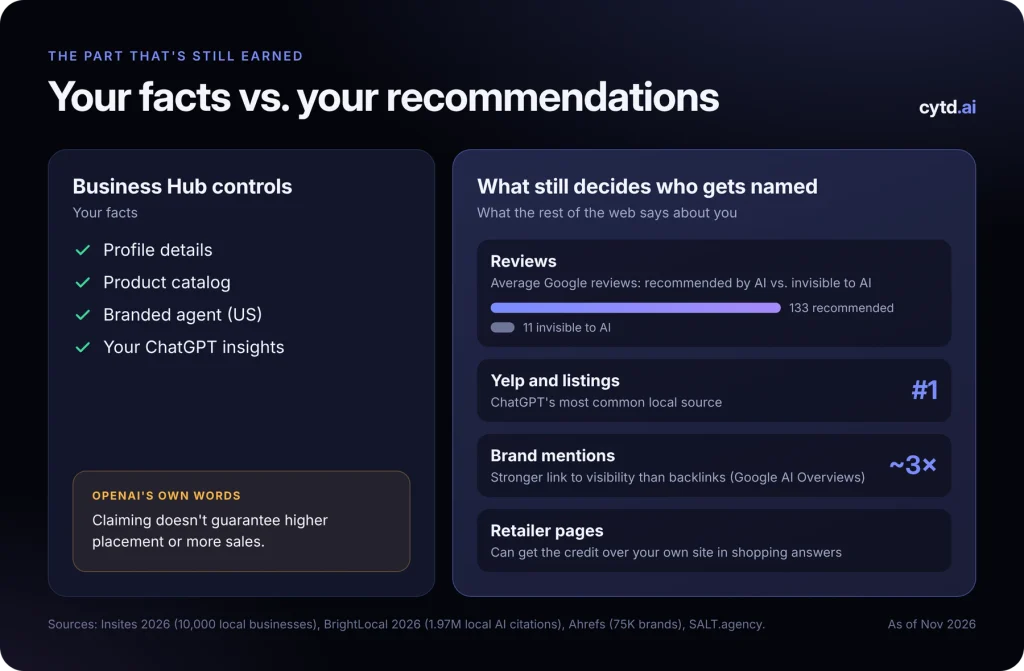
Here’s what tends to decide who gets named:
- Reviews. Businesses recommended by both ChatGPT and Perplexity averaged 133 Google reviews. Businesses AI didn’t mention averaged 11 (Insites).
- Third-party listings. Yelp is ChatGPT’s most common source for local searches “by some distance” (BrightLocal, 1.97 million citations).
- Mentions across the web. Brand mentions tracked visibility in Google’s AI Overviews about 3x more closely than backlinks (Ahrefs, 75,000 brands).
- Retailers. In shopping answers, ChatGPT often credits retailers over the brand itself when their pages carry more authority (SALT.agency).
A few beta limits to know, too:
- US first. Agents are US-only, product feeds target the US, and stores and restaurants elsewhere can’t claim yet.
- Narrow data. ChatGPT only, your business only, last 28 days only. Smaller businesses may see blanks at first, and a blank doesn’t mean zero.
- Answers shift. Run the same local search in ChatGPT twice and the results overlap only 23% on average (BrightLocal). One check isn’t a trend.
Your 7-step game plan
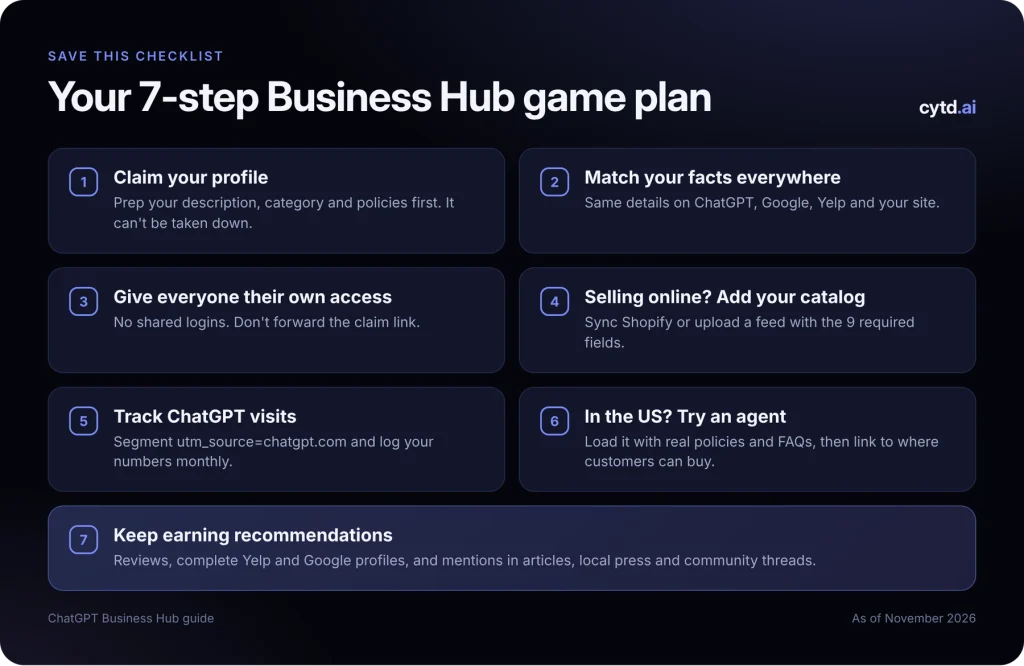
- Claim your profile. It’s the only way to fix wrong details at the source. Write your description and check your policies first, since it can’t be taken down.
- Match your facts everywhere. Same name, category, hours and policies on ChatGPT, Google, Yelp and your website.
- Give everyone their own access. No shared logins, and don’t forward the claim link.
- Selling online? Add your catalog. Sync Shopify or upload a feed with the 9 required fields: item ID, title, description, URL, brand, seller name, image URL, price and availability.
- Track ChatGPT visits. Set up a
utm_source=chatgpt.comsegment in your analytics and log your Business Hub numbers each month. - In the US? Try an agent. Load it with your real policies and FAQs. It can’t take payments, bookings or order lookups, so link to where customers can.
- Keep earning recommendations. Ask for reviews, keep your Yelp and Google profiles complete, and get mentioned in articles, local press and community threads.
How to tell if it’s working
Business Hub only shows ChatGPT, only your business, and only the last 28 days. It won’t show you Claude, Gemini, Perplexity or Grok, or the competitor who keeps getting named instead of you.
That’s what Cytd is for. We track how often the major AI platforms mention and cite you, how that changes month to month, and how you compare with competitors. Then our team does the work that earns recommendations: content, community threads and authority signals. You run your business. We handle the rest.
See where you stand. Your free AI visibility report shows how you show up across ChatGPT, Gemini, Perplexity and more.
Run my free reportGet cited. Get seen.