


A step by step guide.
You can cancel your Cytd subscription yourself at any time, directly from your dashboard. There’s no contract, no penalty, and no need to email anyone. Here’s exactly how to do it.
Step 1: Open Your Profile Menu
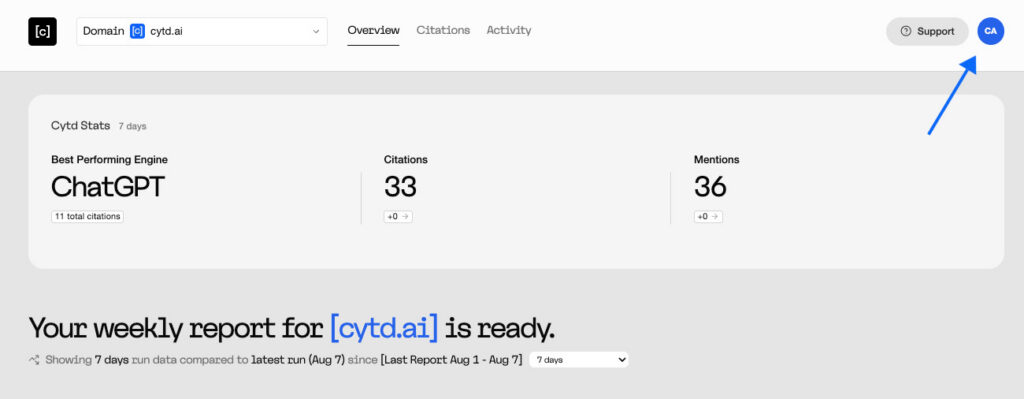
Log in to your dashboard and look at the top right corner. Click the blue circle with your initials.
Step 2: Click Subscription
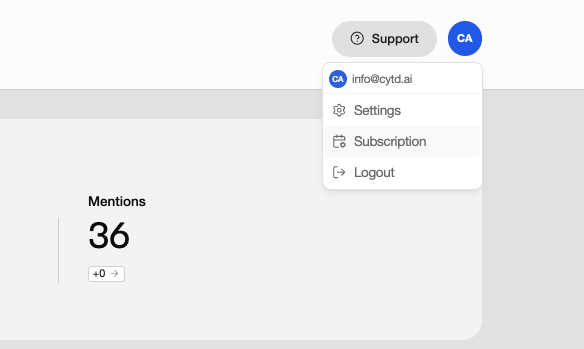
A menu will open. Click Subscription.
Step 3: Click Manage Subscription
This page shows your current plan details: your domain, start date, next renewal date, renewal amount, and payment method.
Click Manage Subscription on the right side.

Step 4: Click Cancel Subscription
A window will open showing everything your subscription currently includes. At the bottom, click Cancel Subscription.
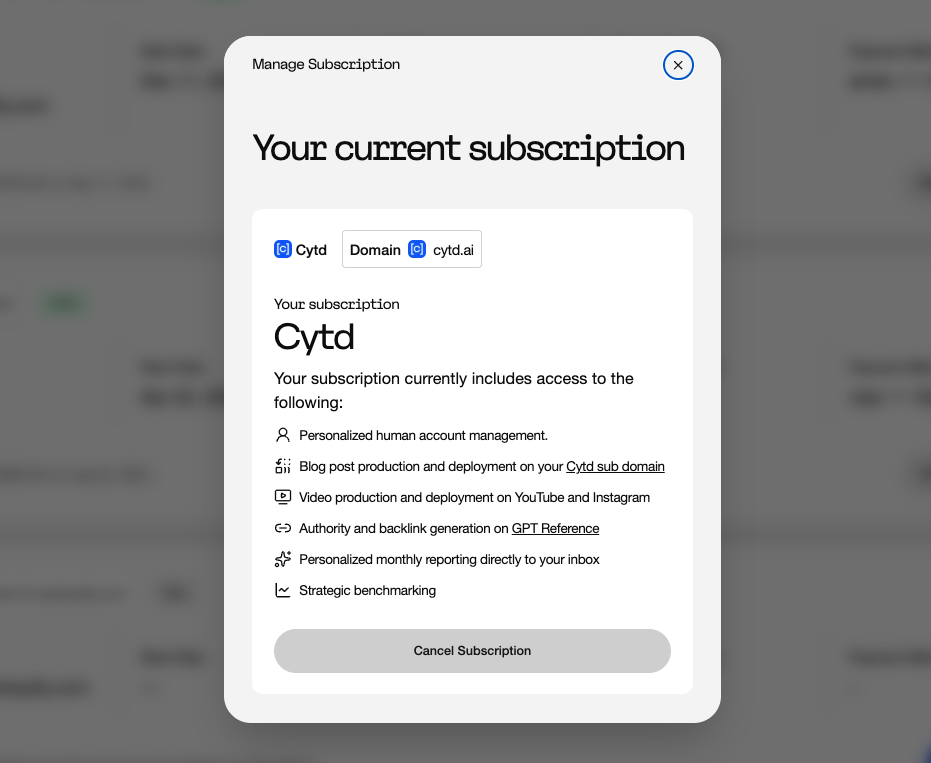
That’s it. Your cancellation is processed immediately.
What Happens After You Cancel
Your access continues until your renewal date. You’ve already paid for the current period, so your dashboard stays available through the end of it. Check the “Next Renewal” date on your subscription page to see exactly when that is.
You won’t be charged again. No final invoice, no cancellation fee.
Your AI visibility will gradually decline. We’d rather tell you this upfront than have it surprise you. The signals that earn AI citations decay over time, and competitors keep building theirs, so the position you’ve built will slowly give way once the work stops.